
 Business License

How to Organize Blueprints in a Flat File Cabinet: 5 Drawer Layouts That Work
How to Organize Blueprints in a Flat File Cabinet: 5 Drawer Layouts That Work
Your new flat file cabinet just arrived. The wooden crate is off, the casters are locked, the drawers slide smoothly. Now comes the real question: what goes in which drawer?
Most people skip this step. They open the top drawer, drop in a stack of A0 sheets, close it. The second drawer gets the same treatment. Three months later, finding a specific drawing means opening all five drawers and rifling through every stack.
A flat file cabinet is a tool for organization, not just storage. The five drawers give you five compartments. How you assign them determines whether the cabinet saves you time or just holds paper.
Here are five layout schemes that work, each suited to a different type of team.
Layout A: By Project Phase
Best for: Architecture firms, engineering offices, design consultants
| Drawer | Contents | Update frequency |
|---|---|---|
| 1 | Current project, latest revision | Weekly — new drawings in, superseded sheets move to Drawer 2 |
| 2 | Current project, superseded revisions | Monthly — archive when the project closes |
| 3 | Reference drawings | Semi-annual purge |
| 4 | Archived projects | Annual — start a new cabinet when full |
| 5 | As-builts / delivered sets | Permanent — contract record, do not disturb |
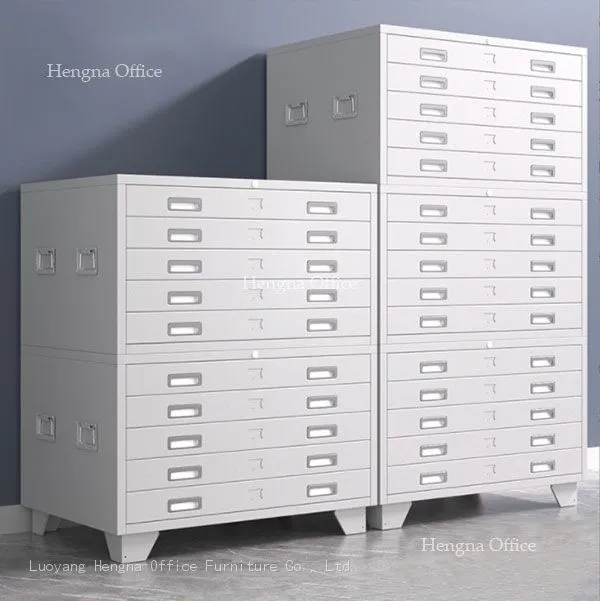

This is the most common layout for a reason. Five drawers map to five stages of a project lifecycle: active, history, reference, archive, and delivery. When a project closes, drawers 1 through 3 drain into drawer 4. The new project starts with a clean drawer 1.
The label slot on each drawer face holds a project name and contract number. When the project moves from "active" to "archived," you swap the printed card. The whole transition takes ten seconds.
Layout B: By Drawing Size
Best for: Shipyards, manufacturing plants, chemical facilities
| Drawer | Size | Approximate capacity |
|---|---|---|
| 1 | A0 / ANSI A | ~1,200 sheets flat |
| 2 | A1 / ANSI B | ~2,400 sheets |
| 3 | A2 / A3 | ~4,800+ sheets |
| 4 | A4 + manuals + miscellaneous | File folders on top of flat stock |
| 5 | Archived large-format drawings | Rolled, standing on edge |
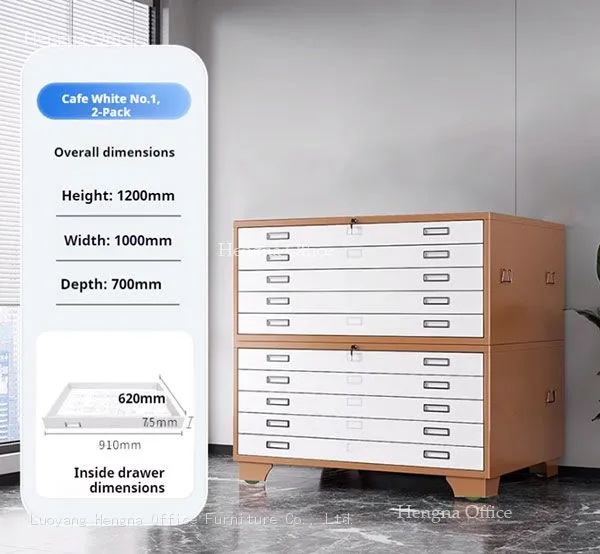
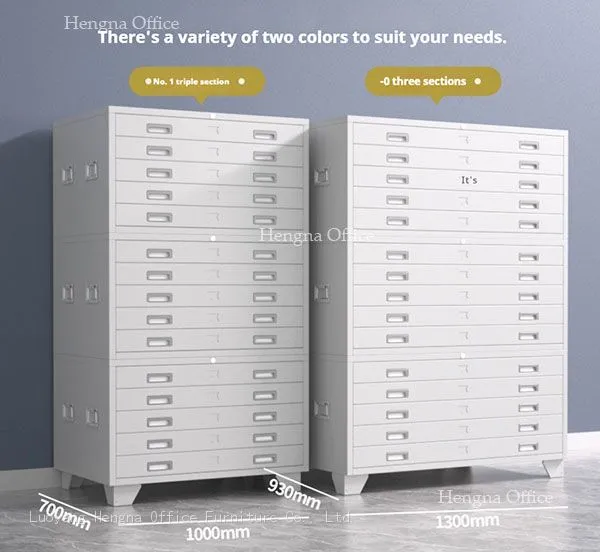
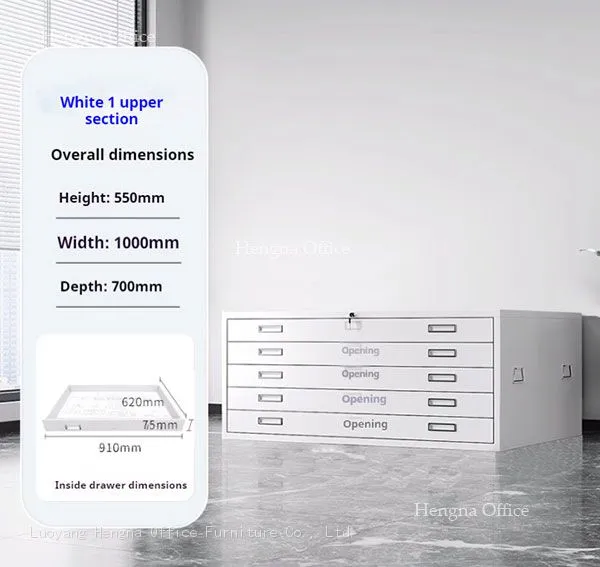
The drawer internal depth is 960 mm (37.8 in). An A0 sheet is 841 × 1,189 mm — the shorter edge runs along the drawer depth, so the sheet fits with room to spare. A1 (594 × 841 mm) fits flat in both orientations. A2 and A3 can stack in layers separated by card dividers.
A shipyard doing multiple vessels simultaneously will have A0 structural drawings, A1 piping diagrams, A2 electrical schematics, and A4 manufacturer manuals — four sizes, four dedicated drawers. Nobody wastes time flipping through a drawer of A0 sheets to find an A3 diagram.
Layout C: By Project Number
Best for: Large engineering firms managing 5+ concurrent projects
One drawer per active project
Label slot shows project name and contract number
Inside the drawer, drawings filed by revision letter (Rev A → Rev B → Rev C)
When a project closes, the entire drawer moves to archive, and a new project takes its place
This system works especially well when one person manages multiple projects. Five drawers, five projects, zero guesswork. No need to maintain a separate spreadsheet — the label slots are visible at a glance.
Limitation: When you exceed five active projects, you need a second cabinet, or a split between "active" and "completed" projects.
Layout D: By Drawing Type
Best for: Construction contractors, maintenance teams, auditing firms
| Drawer | Type | Notes |
|---|---|---|
| 1 | Issued-for-construction (IFC) plans | Fastest access — the field team needs these daily |
| 2 | Structural / steel drawings | Referenced with IFC sets |
| 3 | Electrical / instrumentation diagrams | Separate category, do not mix with structural |
| 4 | Piping / HVAC / plumbing drawings | Same logic |
| 5 | Supplier drawings / equipment manuals | Mixed sizes — A0 foldouts + A4 binders |
The universal pain point on a construction site: an instrument technician needs a wiring diagram, but electrical drawings are in drawer 3 and instrument drawings are in drawer 5. By type, the same person's workload always falls in the same drawer. One stop.
Layout E: By Time Period
Best for: Government archives, libraries, long-term document storage
Drawer 1: Current year
Drawer 2: Last 1–2 years
Drawer 3: Years 3–5
Drawer 4: Years 6–8
Drawer 5: Historical (year 9+)
Each drawer holds folders organized by month. Finding a drawing from 2019 means going to drawer 4, pulling the folder for Q3 2019, and pulling the sheet.
This layout has the lowest maintenance overhead. No reclassifying when a project closes. No re-sorting when a project number changes. New drawings always go in drawer 1. When drawer 5 is full, the oldest content gets scanned to PDF or transferred to off-site storage.
How to Use the Label Slot
The cabinet comes with an integrated label slot on each drawer face — a 90 mm by 25 mm recessed channel. Use it.
| Do this | Don't do this |
|---|---|
| Print cards: project name, number, revision, date | Write on a scrap of paper and shove it in |
| Replace the card when content changes | Leave the same card in for a year |
| Use color coding: blue = active, red = archived | All white cards, no visual cue |
| Keep card size consistent | Tape a sticker on — it will peel off in humidity |
The label slot is pressed into the steel. A printed card costs about two cents. It cuts search time in half.
One Simple Addition
Tape an index sheet to the side of the cabinet.
Take a piece of A4 paper, draw five lines:
Drawer 1: Project Alpha / DWG-001–050 / Rev C
Drawer 2: Project Beta / DWG-051–120 / Rev B
Drawer 3: Reference — Structural / IFC sets 2023
Drawer 4: Archive — Completed projects 2022
Drawer 5: As-builts — 2019–2021
Anybody who walks up to the cabinet — even someone who has never seen your filing system — knows exactly where to start looking. It takes two minutes to set up and saves two years of hunting.
When to Buy a Second Cabinet
The cabinet can hold approximately 1,200 A0 sheets per drawer, or 6,000 per cabinet. When your active drawings approach 5,000 sheets, you have exactly one drawer of headroom. That is when the cabinet is full — not when the last drawer is packed to the top.
At that point, the practical move is to buy a second cabinet and stack it on top. The stackable design allows up to 3 units without tools. The second cabinet doubles your active capacity to 12,000 sheets before you need to think about the third unit.
Common Labeling Mistakes
Using a pencil on the label card. Pencil fades in six months under office lights. Use a pen or a printer.
Not dating the card. A card that says "IFC Set — Structural" without a date is useless three months later. Always append month and year.
Filing rolled drawings without a tag. A rolled A0 blueprint looks exactly like every other rolled A0 blueprint. Slip a sticky note or a rubber band with the project number around the roll.
Quick Reference
| Layout | Best for | Effort to maintain |
|---|---|---|
| A: By project phase | Architects, engineers | Medium — needs cleanup at project close |
| B: By drawing size | Shipyards, factories, plants | Low — put it in the right drawer on arrival |
| C: By project number | Large engineering firms | Medium — needs reallocation when project count grows |
| D: By drawing type | Construction contractors, maintenance | Low — natural separation by trade |
| E: By time period | Government, libraries, archives | Lowest — no classification decisions needed |
Pick one and execute. An unorganized flat file cabinet fills up twice as fast as an organized one — not because there is more paper, but because nobody can find anything in the mess.
Recently Posted
-
How to Choose a Flat File Cabinet Supplier: 7 Checks Before You Import from China
June 11, 2026How to Choose a Flat File Cabinet Supplier: 7 Checks Before You Import from ChinaIf you are reading this, you have already decided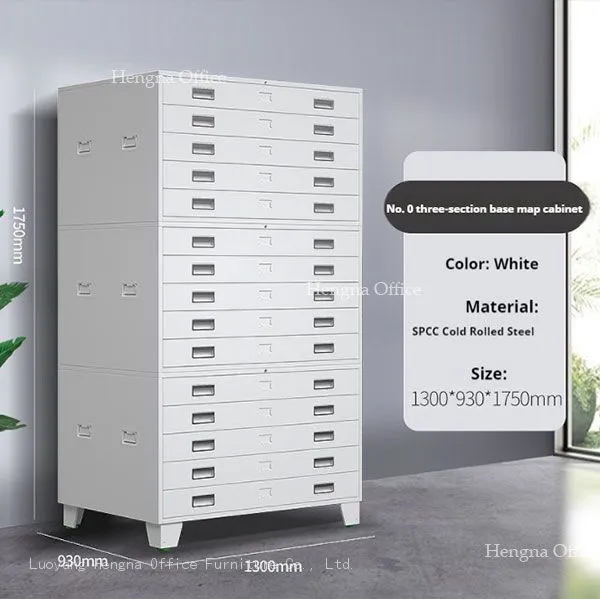 Read More
 -
What to Look for When Buying Classroom Lockers — Zero Formaldehyde, Rounded Corners, Modular Design
June 10, 2026Shopping for classroom lockers seems simple.You open a procurement site, search "school lockers," and get dozens of resu Read More
 -
Why Soft-Edge Lockers Are Becoming the New Standard in Elementary Classroom Design | Safety Trend
June 10, 2026Five years ago, what did classroom lockers look like?A row of gray-blue metal cabinets. Sharp right-angle corners. A loud "ba Read More
 -
ABS Plastic vs Metal School Lockers for Kids Under 12 — Which One Is Safer for Your Classroom?
June 10, 2026This isn't a question about materials. It's a question about children.A metal locker was designed for adults. Adult height Read More

Contact Us
Recommended Products
-
 Industrial-Grade ABS Plastic Locker for Factory Staff and Warehouse Workers|Hengna OfficeUS$ 19 - 100MOQ: 5 Sets
 -
Outdoor ABS Locker Cabinet – UV-Resistant Plastic Storage for Poolside or Beach Resorts-Hengna OfficeUS$ 19 - 100MOQ: 5 Sets
-
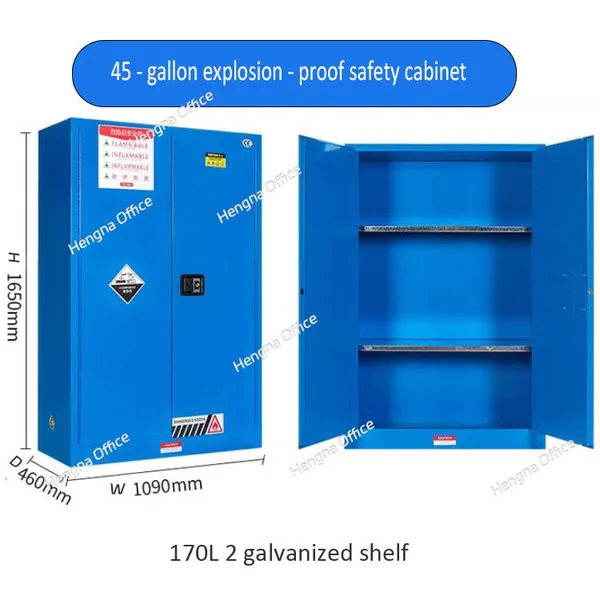
45 Gallon Explosion-Proof Flammable Liquid Storage Cabinet – Fire-Resistant Steel Safety Cabinet for FactoriesUS$ 68 - 400MOQ: 2 Combos
-
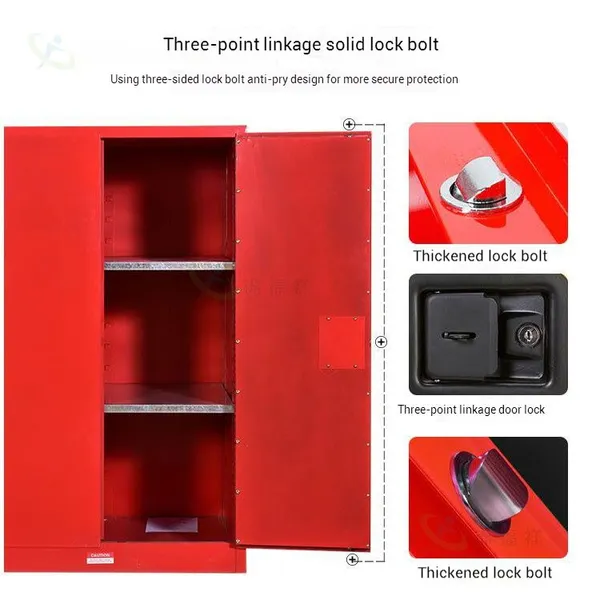
Flammable Storage Cabinet for Flammable Liquids – OSHA Certified Safety Cabinet With Fireproof Double WallsUS$ 68 - 400MOQ: 2 Combos
-
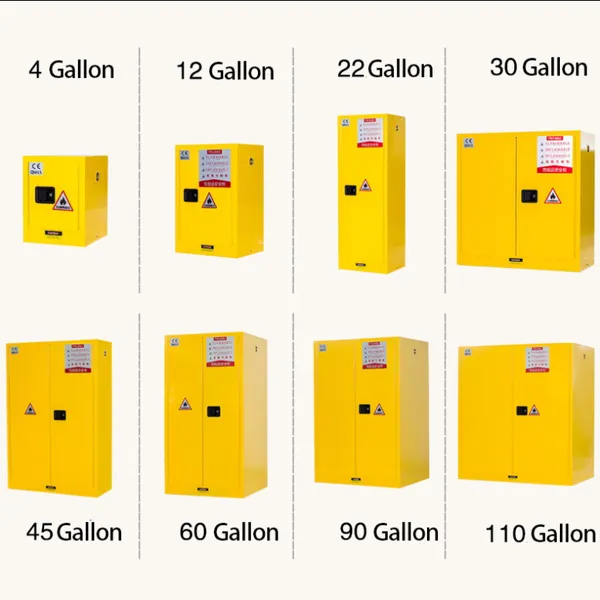
Large Capacity Flammable Liquid Storage Cabinet – Explosion-Proof Safety Cabinet for Laboratory & Workshop UseUS$ 68 - 400MOQ: 2 Combos
-
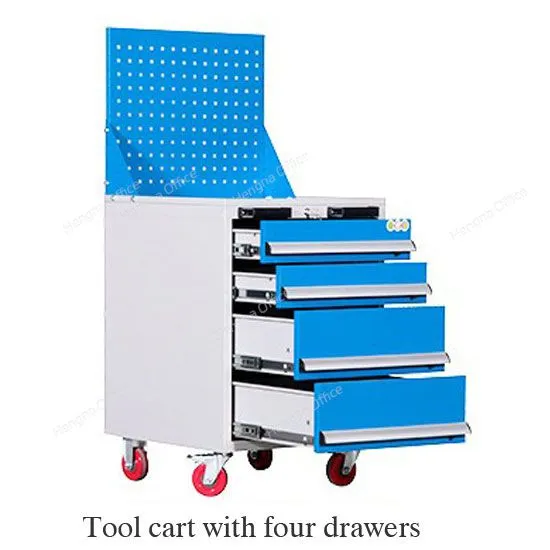
Heavy Duty Steel Tool Cart With Drawers for Workshops|Hengna OfficeUS$ 99 - 269MOQ: 2 Cases
-
Wholesale 3-Drawer Tool Trolley With Wheels for Factory and Garage StorageUS$ 99 - 269MOQ: 2 Cases
-
HN-wlj160 Industrial Rolling Tool Organizer With Pegboard|All-in-One Mobile Tool Storage CartUS$ 5 - 120MOQ: 2 Cases
-
White Stackable Pathology Wax Block Storage Drawers for Labs Near London-Hengna OfficeNegotiableMOQ: 10 Pieces
-
Custom Paraffin Block Storage Cabinet for Histology Laboratories – Factory Direct From Hengna FurnitureNegotiableMOQ: 10 Pieces
-
Smart Phone Charging Locker 40-door|Fingerprint Lockers Intelligent Parcel Delivery CabinetUS$ 203 - 750MOQ: 15 Pieces
-
School Gym Lockers Price |Parcel Delivery Storage Locker 12-door FactoryUS$ 203 - 750MOQ: 15 Pieces
-
Multi Metal Work Benches Electrical Workshop Workbench|US$ 300 - 800MOQ: 2 Cases
-
Commercial Workbench Supplier |Multi Metal Work Bench With Drawers OMDUS$ 300 - 800MOQ: 2 Cases
-
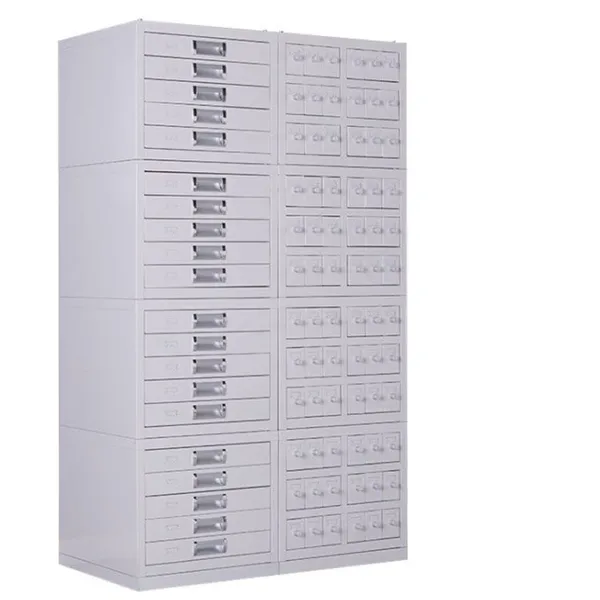
Pathological Ection Cabinet JTGZ062 Wax Block Cabinet for LaboratoryNegotiableMOQ: 10 Pieces
-
Durable Tool Storage in Factory HNGJ703 Hard Wearing Metal Industrial Tool ChestNegotiableMOQ: 18 Pieces
-
High - Quality CNC Workshop Tool Cabinet Heavyweight Workshop Tool OrganizerNegotiableMOQ: 10 Pieces
-
Laboratory Polyethylene Acid and Corrosive Chemicals Safety Storage PP CabinetUS$ 340 - 600MOQ: 5 Combos
-
22 Gallons /80 L PP Acid - Base Cabinet: Safeguard Chemical Storage Supplier OEMUS$ 500 - 600MOQ: 5 Combos
-
4 - Gallon Corrosion-resistant Safety Cabinet for Hazardous Chemicals Acid SupplierUS$ 340 - 500MOQ: 5 Combos